Casper Spins Mobile Casino Experience
 Available in GB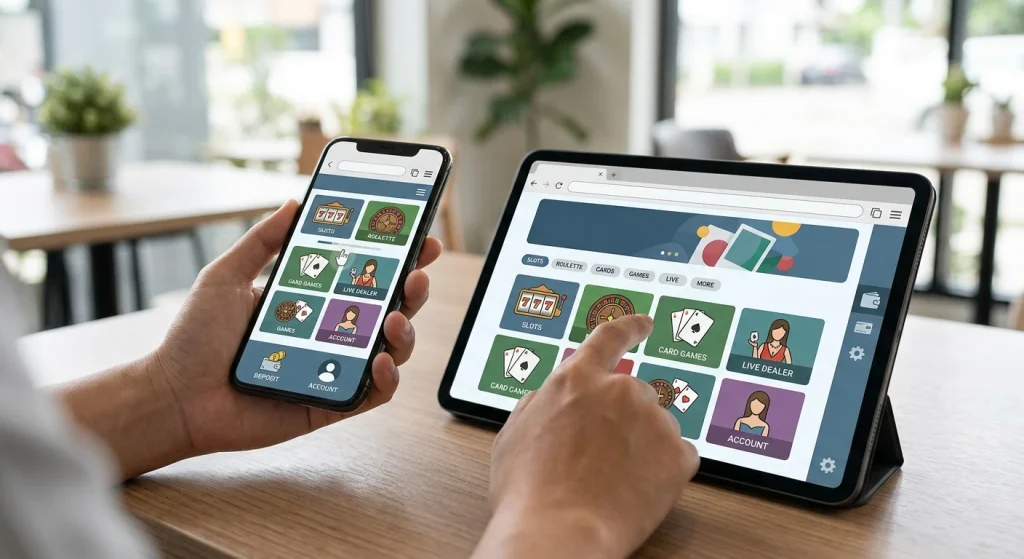
Casper Spins can be used on mobile devices through a web browser. What is not securely established is a current native iOS or Android app. Searches for app availability produced conflicting third-party claims and no authoritative store listing was verified, so “Casper Spins app” should be treated as a search term rather than a confirmed product.
For UK readers, the practical question is therefore how well the browser experience handles real tasks: finding games, opening the cashier, using live casino streams, managing an account and reaching verification or support. A mobile website, a progressive web app and a native app are different things and should not be treated as interchangeable.
Table of Contents
- Browser play is the verified mobile route
- What to test first on a phone
- Cashier usability is part of the mobile experience
- Live casino on mobile depends on connection quality
- Account and verification tasks deserve their own mobile check
- How to judge browser play against an app
- A five-minute mobile audit before depositing
- How to use Casper Spins on mobile without assuming there is an app
- Recommend
Browser play is the verified mobile route
The safest current description is simple: Casper Spins can be used on mobile devices through its web experience. That is different from saying there is a verified native iPhone or Android application. Conflicting third-party descriptions of app availability do not establish an authoritative App Store or Google Play listing, so a native app should not be assumed.
For a UK reader, that distinction matters because a browser-based casino can still cover the main mobile tasks without any installation. The important questions are whether the navigation scales to a small screen, whether games launch reliably, whether the cashier can be used without awkward zooming and whether account tools remain reachable. A downloadable icon, PWA shortcut or third-party APK should not automatically be described as the same thing as a store-distributed native app.
| Mobile format | What it means | Casper Spins status |
|---|---|---|
| Mobile browser | The casino runs through Safari, Chrome or another browser | Supported |
| PWA / home-screen shortcut | A website may be installable as an app-like shortcut | Not independently verified |
| Native iOS app | An application distributed for iPhone/iPad | No authoritative current listing verified |
| Native Android app | An Android application, ideally from a trusted store or official source | No authoritative current listing verified |
What to test first on a phone
Mobile quality is better judged by tasks than by still images. Start with the basic journey: open the site, move between the lobby and account area, search or browse game categories, and check whether menus remain usable in portrait orientation. Then test a game in demo or permitted play mode if available and see whether controls, help information and exit navigation remain visible without repeated zooming.
The Casper Spins catalogue includes slots, roulette, blackjack, baccarat, live games, jackpot games, poker, crash games and betting-related categories. That does not mean every individual title is always available on every device. The Games and Providers guide explains the catalogue at a broader level; on mobile, the more useful question is whether the categories you actually intend to use load cleanly on your device and connection.
A good mobile check also includes interruptions. Lock the screen, switch briefly to another app and return. If a game session or cashier step resets, that may matter more in practice than how polished the home page looks. Do not assume that a stable desktop experience predicts identical behaviour on an older phone, a smaller screen or a weak mobile network.
Repeat the test in both portrait and landscape orientation if you expect to use games or live tables that place several controls on screen at once.
Cashier usability is part of the mobile experience
Payments are one of the highest-friction mobile tasks because they combine small screens, security checks and sometimes movement between the casino, a banking app and a browser. Casper Spins supports Visa, Mastercard and Bitcoin, but method availability can vary by account and direction. The Payment Methods guide explains those distinctions in detail.
On a phone, check the deposit and withdrawal areas separately. A deposit logo does not prove that the same route receives withdrawals. Also verify the currency, any displayed limits and any account-specific instructions before sending money. For UK readers, Visa or Mastercard branding should not be read as permission to use a credit card for gambling; card scheme and funding type are separate questions.
If the cashier opens an external banking or wallet step, make sure returning to the browser restores the correct session. This is where a mobile site can be technically responsive yet still feel cumbersome. A useful mobile review therefore measures the complete transaction journey, not just whether the payment page fits the screen.
Live casino on mobile depends on connection quality
Casper Spins has a live casino category, but streaming games place different demands on a phone than ordinary HTML5 slots. Video quality, latency, screen size and the stability of the connection all affect usability. A modern phone on reliable Wi-Fi may behave very differently from the same site over a congested mobile connection.
Before committing to a live table, check whether the video, betting controls and table information remain legible together. Landscape mode may be more practical on some devices, but the site should not force you into constant orientation changes just to reach basic controls. If a stream repeatedly drops or the interface becomes cramped, that is a device-session issue worth treating separately from the existence of the live casino itself.
Do not infer a specific live-dealer provider, table count or mobile-only feature from the presence of the category. Those details can change and are not necessary to answer the core mobile question. The practical point is whether the browser route can sustain the kind of play you intend to use.
Account and verification tasks deserve their own mobile check
Account maintenance is another area where a browser site can expose weaknesses. Signing in, reviewing profile details, finding support and completing any verification request should remain manageable on a phone. Casper Spins can require identity verification, while the exact document list and processing time should be confirmed directly from the current account request.
If you plan to register primarily on mobile, read the Registration and Account Setup guide before submitting details. Keep in mind that photographing or uploading identity documents on a phone can be convenient, but only if the current site explicitly asks for them through the secure account area. Do not send identity files through an improvised channel simply because a mobile page is difficult to use.
Support access also matters. Live chat is available, which can be useful if a mobile session behaves differently from desktop. Still, support availability is not a substitute for checking the visible account and cashier information yourself.
How to judge browser play against an app
A native app can offer convenience, but its absence does not automatically make a mobile casino unusable. Browser play avoids installing software and can update without an app-store release. A native app can offer deeper device integration, but it also introduces another distribution and update channel that must be trusted. A PWA sits between the two: it can look app-like while still being fundamentally web based.
That is why the label matters. If a site asks you to install an Android package from outside a recognised store, verify that the source is genuinely official before doing anything. If a browser offers “Add to Home Screen,” understand that this may simply create a shortcut or PWA shell rather than a native application. No verified native iOS or Android app has been established for UK readers.
For most users, the decision can be reduced to three practical tests: can the browser route run the games you want, can you manage payments and account tasks cleanly, and can you return to the same session after normal phone interruptions? If those work, browser access may be sufficient without treating an app as a requirement.
A five-minute mobile audit before depositing
- Open the site in your normal mobile browser and check that navigation works at default zoom.
- Browse the game categories you care about and launch at least one representative title if permitted.
- Open both deposit and withdrawal areas and note whether the layouts and instructions are readable.
- Find account, verification and support controls without relying on desktop instructions.
- Switch away from the browser and return to see whether the session survives normally.
- If you encounter an “app” prompt, identify whether it is a store app, PWA or direct download before installing anything.
This short audit produces more useful evidence than a generic claim that the casino is “mobile friendly.” It tests the actual activities that create friction on a small screen and keeps browser access separate from an unverified native-app claim.
How to use Casper Spins on mobile without assuming there is an app
Use the browser route as the verified baseline. Check game loading, cashier usability, account access and session stability on the device you actually plan to use. If an installation option appears, identify exactly what it is before trusting it.
Mobile-browser access is established. A current native iOS or Android application should not be assumed without an authoritative store or official source. The main Casino UK review puts the mobile findings beside licensing, payments and product depth.